Product Feature Update: In app support just like popular app like Swiggy-Zomato
07 February 2026
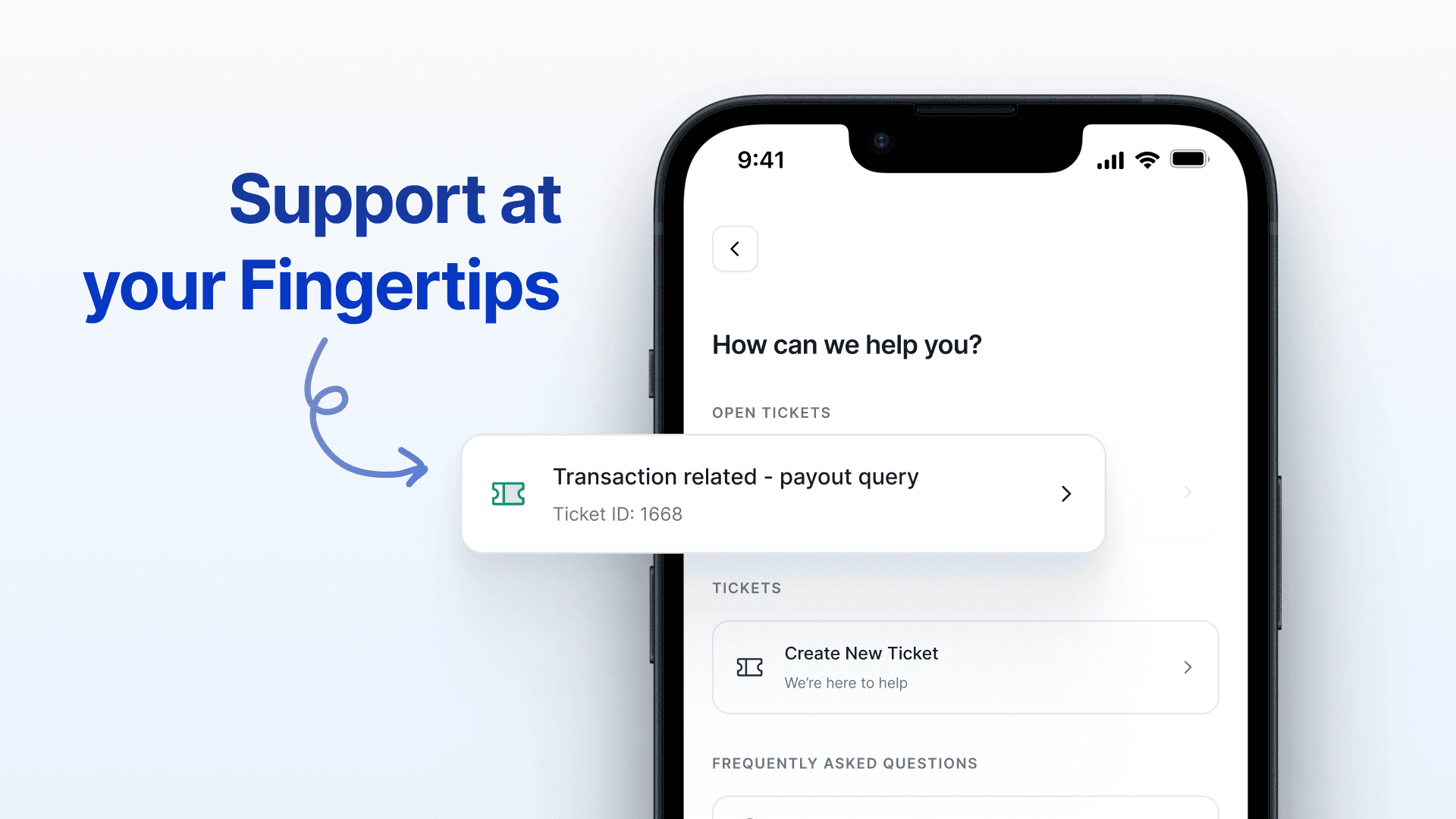
Support, Right Where You Need It
When something doesn’t work the way you expect, the last thing you want to do is search for help.
You don’t want to wonder who to message, where to raise an issue, or whether anyone has even seen it. You just want support clearly, quickly, and without friction. That’s exactly why we built a centralised support experience inside the BondScanner app.
1. No switching channels.
2. No guessing what’s happening next.
3. No chasing updates.
Support right where you already are.
Why We Built This
As more of you started exploring bonds, tracking payouts, and building long-term portfolios on BondScanner, one thing became clear from feedback:
"When users need help, timing matters more than anything else."
Issues don’t wait for office hours. Questions don’t come with advance notice. And in moments like these, clarity and response matter more than speed alone.
So instead of pushing support to emails, DMs, or multiple tools, we brought everything together inside the app.
What’s New: One Place for All Support
You’ll now find a dedicated Support section in the app where you can:
Raise a support ticket with a single tap Track ticket status in real time Browse common questions instantly Request a callback if you’d rather speak to someone
All from one place. All without leaving the app.
This isn’t just a feature update, it’s a commitment to being reachable when it matters.
How to Raise a Support Ticket
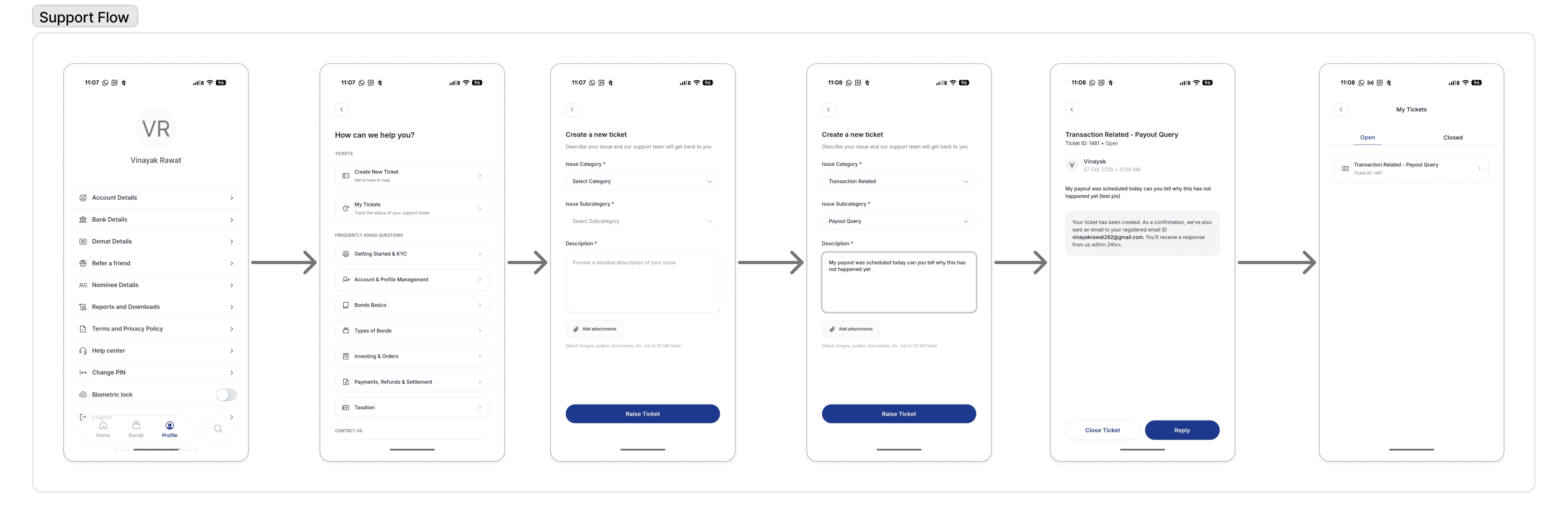
How to Raise a Support Ticket (Step-by-Step)
Step 1: Open the BondScanner App Log in and navigate to the profile section and head over to Help Center from the menu.
Step 2: Tap on “Create New Ticket” You’ll see a simple option to create a new ticket no forms, no redirects.
Step 3: Choose the Issue Type Select what you need help with (investment, payout, account, or something else).
Step 4: Add Details Share a short description so our team understands the context faster. (You can even add attachments)
Step 5: Submit That’s it. Your ticket is now created and visible instantly.
No emails sent into the void. No wondering if it went through.
How to Track Your Ticket Status
Once a ticket is raised, you don’t need to follow up separately. Under My Tickets section check for open & closed tickets.
What You Can See:
1. Current ticket status (open, in progress, resolved)
2. Updates added by the support team
3. A clear resolution once the issue is closed
Everything stays visible in the same place so you always know what’s happening
Need Faster Help? Request a Callback
Some questions are easier to explain on a call.
If you’d rather speak to someone, you can request a callback directly from the Support section. Our team will reach out during working hours with full context of your issue no need to repeat yourself.
Browse Common Questions Instantly
Not every question needs a ticket. You’ll also find commonly asked questions right inside Support useful for quick clarifications around:
Getting Started & KYC
Payments, Refunds & Settlement
Investing & Orders
Bond Basics
Account & Profile Management
Often, the fastest support is the one you don’t have to wait for.
What This Changes for You
With this update, support on BondScanner becomes:
Centralised : one place, not many channels
Transparent : real-time visibility into progress
Predictable : you always know what happens next
Human : built for clarity, not complexity
We believe good financial products don’t just work well they stand by users when things feel unclear.
This is one more step in that direction.
Recent Blogs

Auto Sweep Facility Explained: Meaning, How It Works & Key Features
An educational guide explaining what the auto sweep facility is, how it works in savings accounts, and its operational features in Indian banking.
10 Feb 2026
GPF Explained: Full Form, Interest Rate, Rules & Statement Download
A detailed guide to GPF explaining its full form, how it works, applicable interest rates, and how subscribers can download their GPF statements.
10 Feb 2026

FDR Full Form Explained: Meaning, Uses & Fixed Deposit Receipt in Banking
Understand the FDR full form, what a Fixed Deposit Receipt is, how it works in banking, and why it matters to deposit holders.
09 Feb 2026